USB PD 3.1 Explained: The Complete UK Guide
USB Power Delivery 3.1 raises the USB-C power ceiling from 100 W to 240 W. Here's what it means for your devices, which cables you need, and whether you should upgrade your charger.
Shop PD 3.1 Chargers & Cables
Rated for the full wattage · Free UK delivery
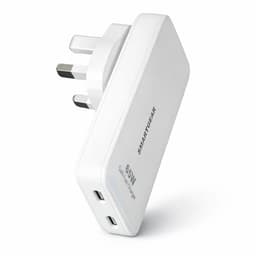
SmartGear 65W Travel Charger
- Slide-out UK + US plugs
- 2× USB-C · PD 3.0
- Ultra-slim 15.5mm
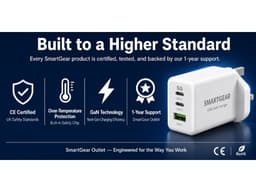
SmartGear 45W GaN Charger
- 3 ports · 2× USB-C + USB-A
- Samsung 45W PPS
- Compact GaN body
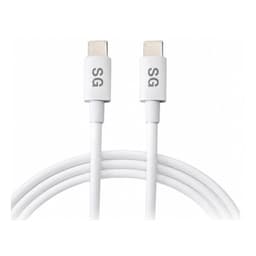
SmartGear 100W USB-C Cable
- E-Marker chip · 5A
- 2m braided length
- Unlocks full 45–100W
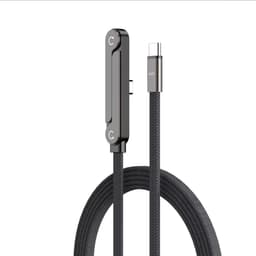
SmartGear 240W Foldable Cable
- 240W PD 3.1 · 48V 5A
- Foldable T-stand
- Braided nylon
⚡ Key Takeaways
PD 3.1 raises max USB-C power from 100 W → 240 W
Adds 28V, 36V and 48V voltage levels (EPR)
Fully backwards compatible with all USB-C devices
Requires EPR 240W cable for power above 100W
Only needed for high-power laptops (140W+)
Available now in premium chargers and power banks
USB PD Versions Compared
| Version | Year | Max Power | Voltages | Key Features | Status |
|---|---|---|---|---|---|
| USB PD 2.0 | 2016 | 100 W (20 V × 5 A) | 5V, 9V, 15V, 20V | Basic power negotiation, fixed voltage PDOs | Legacy — still in older chargers |
| USB PD 3.0 | 2018 | 100 W (20 V × 5 A) | 5V, 9V, 15V, 20V | PPS (Programmable Power Supply), improved negotiation, FRS (Fast Role Swap) | Current mainstream standard |
| USB PD 3.1 | 2021 (consumer 2024+) | 240 W (48 V × 5 A) | 5V, 9V, 15V, 20V, 28V, 36V, 48V | EPR (Extended Power Range), AVS (Adjustable Voltage Supply), SPR + EPR modes | ★ Newest standard — appearing in 2025–2026 devices |
How PD 3.1 Works: SPR vs EPR
SPR Standard Power Range
SPR mode covers 0–100 W using the same voltages as PD 3.0 (5V, 9V, 15V, 20V). This mode is used when charging phones, tablets, ultrabooks and 13–14″ laptops. Every PD 3.1 charger supports SPR.
- Works with any USB-C cable
- Identical to PD 3.0 for end users
- Supports PPS for Samsung fast charging
- Sufficient for 95% of consumer devices
EPR Extended Power Range
EPR mode adds three new voltages: 28V, 36V and 48V, enabling power delivery up to 240 W. This is the headline PD 3.1 feature — it allows gaming laptops and workstations to charge via USB-C at full speed.
- Requires EPR 240W cable (E-Marker)
- 28V / 36V / 48V at up to 5A
- AVS for fine voltage adjustment
- For 15″+ laptops and gaming devices
Devices That Benefit from PD 3.1 EPR
| Device | Max Power | Cable Required | Available |
|---|---|---|---|
| MacBook Pro 16″ (M4 Pro/Max) | 140 W | MagSafe 3 or USB-C EPR | Now |
| Dell XPS 17 / Precision 5680 | 130–140 W | USB-C EPR | Now |
| Razer Blade 16 (2025+) | 180 W | USB-C EPR | Now |
| ASUS ROG Zephyrus G16 | 200 W | USB-C EPR | 2025 |
| Lenovo ThinkPad X1 Extreme | 170 W | USB-C EPR | Now |
| HP ZBook Studio G11 | 200 W | USB-C EPR | 2025 |
| UGREEN 200W Power Bank | 200 W output | USB-C EPR | Now |
| Anker Prime 200W Charger | 200 W output | USB-C EPR | Now |
Important: If your device draws ≤100 W (most phones, tablets, MacBook Air, XPS 13), you gain zero practical benefit from PD 3.1 over PD 3.0. Save money and buy a standard PD 3.0 charger.
PD 3.1 Cable Requirements
Standard USB-C Cable
Up to 60 W
Works for phones, tablets, earbuds, handhelds. No E-Marker needed. Usually included with your device.
100W E-Marker Cable
Up to 100 W
Required for 65–100 W devices. Has E-Marker chip. Look for "100W" or "5A" on packaging. £8–15.
240W EPR Cable
Up to 240 W
Required for 100–240 W PD 3.1 EPR devices. Has EPR E-Marker chip. Look for "240W" or "EPR". £12–25.
Frequently Asked Questions
What does PD 3.1 mean?
PD 3.1 stands for USB Power Delivery Revision 3.1. It's the latest version of the USB power standard that allows devices to negotiate and deliver up to 240 watts of power over a single USB-C cable. The key feature is EPR (Extended Power Range), which adds new voltage levels of 28V, 36V and 48V above the previous 20V maximum.
Is PD 3.1 backwards compatible?
Yes, fully. A PD 3.1 charger works with ALL older USB-C devices — it simply negotiates down to the power level your device supports. A PD 3.1 charger charging an iPhone will deliver the same 27W as any PD 3.0 charger. You never need to worry about compatibility.
Do I need a special cable for PD 3.1?
For power above 100W (EPR mode), yes — you need a USB-C cable rated for 240W with an EPR-rated E-Marker chip. Standard USB-C cables cap at 60W, and 100W E-Marker cables cap at 100W. Look for "240W" or "EPR" on the cable packaging. Below 100W, any standard USB-C cable works with PD 3.1.
What's the difference between PD 3.0 and PD 3.1?
The main difference is maximum power: PD 3.0 caps at 100W (20V × 5A), while PD 3.1 reaches 240W (48V × 5A). PD 3.1 adds three new voltage levels (28V, 36V, 48V) and introduces AVS (Adjustable Voltage Supply) for finer voltage control. For most consumers, the practical difference is that PD 3.1 can charge high-power gaming laptops via USB-C.
Do I need PD 3.1 for my MacBook?
MacBook Air: No — it charges at 30–67W, well within PD 3.0. MacBook Pro 14″: No — it charges at 67–96W, within PD 3.0. MacBook Pro 16″ M4 Pro/Max: Recommended — it can draw 140W, which benefits from PD 3.1 EPR for full-speed USB-C charging (though MagSafe 3 also supports 140W).
When will PD 3.1 become standard?
PD 3.1 is already appearing in premium chargers and power banks (Anker Prime, UGREEN Nexode 200W). By late 2026, most chargers above 100W will support PD 3.1. For chargers 100W and below, PD 3.0 remains sufficient and PD 3.1 offers no practical advantage.
What is PPS and how does it relate to PD 3.1?
PPS (Programmable Power Supply) was introduced in PD 3.0 and is also supported in PD 3.1. It allows voltage adjustment in 20mV increments for optimal charging efficiency — particularly important for Samsung phones which use PPS for 45W fast charging. PD 3.1 adds AVS, which is similar but works at the higher EPR voltage levels.
Is PD 3.1 the same as USB4?
No. PD 3.1 is a POWER specification (how much electricity flows). USB4 is a DATA specification (how fast data transfers). They're complementary — a USB4 port can support PD 3.1 power delivery, but they're separate standards. You can have PD 3.1 power on a USB 3.2 port.
Related Guides
Best 100W Chargers UK
PD 3.0 chargers reviewed
High-Capacity Power Banks
200W PD 3.1 power banks
GaN Charger Guide
GaN III technology explained
100W vs 65W Chargers
Which wattage do you need?
Laptop Charging Guide
Every laptop's power needs
145W vs 200W Power Banks
PD 3.1 power bank comparison
USB-C Cable Guide
E-Marker & EPR cables
Charging Glossary
PD, PPS, EPR, AVS defined