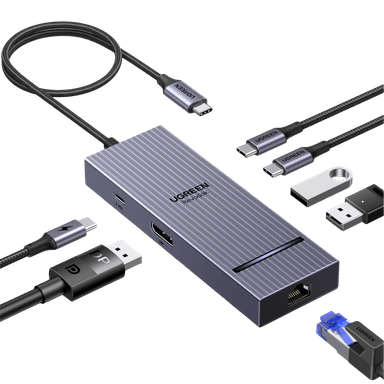
This is the single most important decision when buying a docking station, and the answer hinges on two things: how many external monitors you need, and whether your laptop has a Thunderbolt port or only USB-C. A standard USB-C dock (also called a USB-C hub) connects via the USB 3.2 or USB4 protocol and typically supports a single external display at 4K 60 Hz. It is perfectly adequate for most home-office workers who use one monitor alongside their laptop screen.
A Thunderbolt 4 dock, on the other hand, guarantees 40 Gbps bandwidth and can drive two or even three external 4K displays at 60 Hz from a single cable. It also supports daisy-chaining — connecting one dock to another, or a dock to a TB4 monitor — which reduces cable clutter even further. The trade-off is cost: Thunderbolt docks start around £200, while solid USB-C hubs begin at £30.
Check your laptop port first. Look for the small lightning-bolt icon next to your USB-C port. If it is there, your laptop supports Thunderbolt and a TB4 dock will unlock its full potential. If your port shows only the USB trident symbol, a USB-C dock is the right match — plugging a Thunderbolt dock into a USB-C-only port will work, but it won't deliver the extra bandwidth or multi-monitor support you are paying a premium for.
For Mac users, there is an extra wrinkle. Apple Silicon Macs (M1, M2, M3) natively support only one external display via USB-C without Thunderbolt. The M3 Pro and M3 Max chips support two or three displays natively through Thunderbolt. If you have an M2 MacBook Air and want dual monitors, you need either a Thunderbolt dock or a dock with DisplayLink drivers — both options are covered in our picks above.