Best USB-C Cables UK (2026): Tested & Rated
Not all USB-C cables are equal. We break down the standards, bust the myths, and help you pick the right cable for every device — without overspending.
Our Top Cable Picks — Buy Now
Tested & rated. In stock with free UK delivery.
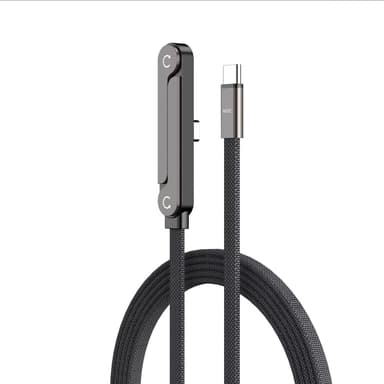
SmartGear 240W Foldable USB-C Cable
240W PD 3.1 · Foldable T-stand · Braided nylon · 1.5m
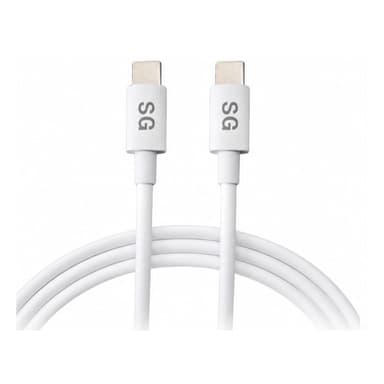
SMARTGEAR 100W USB-C Cable (2m)
E-Marker 20V/5A · Braided nylon · 20,000+ bends · 1, 2 & 4-packs
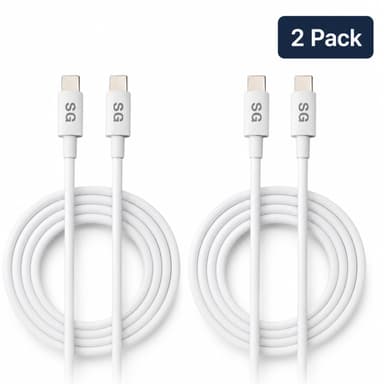
SMARTGEAR 100W USB-C Cable 2-Pack (2m)
Two 2m cables · E-Marker 20V/5A · CE/UKCA
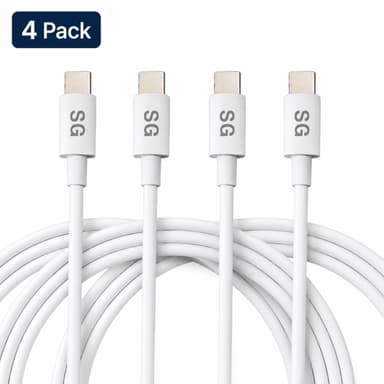
SMARTGEAR 100W USB-C Cable 4-Pack (2m)
Four 2m cables · E-Marker 20V/5A · CE/UKCA
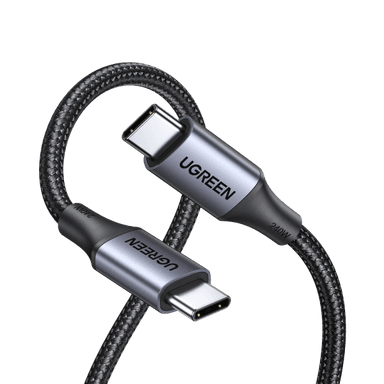
UGREEN 240W USB-C to USB-C Cable
240W EPR · 10 Gbps data · E-Marker · Braided nylon
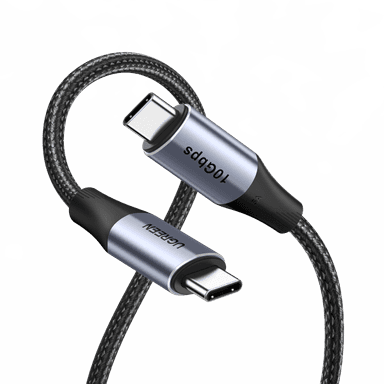
UGREEN 100W USB-C Cable (2-Pack)
100W PD · 5A E-Marker · Aluminium connectors · 2m
In This Guide
The USB-C cable market is a minefield. Walk into any UK shop and you'll find cables ranging from £3 to £40 — all with the exact same connector. The difference? Internal wiring that determines whether your cable delivers 15W or 240W, transfers files at dial-up speeds or blazing 40 Gbps, and whether it's certified safe or a potential hazard.
We've tested dozens of USB-C cables and distilled everything into this practical UK buying guide. Whether you're charging an iPhone 16, powering a MacBook Pro, or connecting an external SSD, you'll know exactly which cable to buy — and which to avoid.
USB-C Cable Standards: What Actually Matters
The USB-C connector is universal, but the cable behind it is not. Here's what each standard actually delivers:
| Standard | Max Power | Data Speed | Video | Best For | UK Price |
|---|---|---|---|---|---|
| USB 2.0 | 60W (3A) | 480 Mbps | No | Basic phone charging | £3-£8 |
| USB 3.2 Gen 1 | 60W (3A) | 5 Gbps | Alt Mode (1x 4K) | External drives, charging | £8-£15 |
| USB 3.2 Gen 2 | 100W (5A) | 10 Gbps | Alt Mode (1x 4K 60Hz) | Laptop charging, SSDs | £12-£20 |
| USB4 / Thunderbolt 4 | 240W (5A, 48V) | 40 Gbps | 2x 4K or 1x 8K | Everything – future-proof | £20-£40 |
💡 Key Takeaway: For most people, a USB 3.2 Gen 1 cable (£8-£15) is the sweet spot — fast enough for charging and file transfers, without paying for Thunderbolt speeds you may not need.
5 USB-C Cable Myths Debunked
❌ Myth: "All USB-C cables are the same"
USB-C cables vary enormously in power delivery (60W-240W), data speed (480 Mbps-40 Gbps), and video support. The connector shape is identical, but internal wiring differs dramatically.
❌ Myth: "A more expensive cable always charges faster"
Price doesn't always correlate with charging speed. A £5 cable rated at 3A charges a phone just as fast as a £30 Thunderbolt cable. You only need higher-spec cables for laptops (100W+) or data transfer.
❌ Myth: "Longer cables charge much slower"
Quality cables up to 2m show negligible speed loss (under 3%). Poor quality cables of any length lose more power. Choose a reputable brand and length won't matter for charging.
❌ Myth: "You need a special cable for fast charging"
Any USB-C cable supporting 3A (most do) enables fast charging up to 60W. You only need a special 5A/eMark cable for 100W+ charging — typically laptops.
❌ Myth: "USB-C cables wear out quickly"
Quality braided cables are rated for 10,000-30,000+ bend cycles. The connector is rated for 10,000 insertions. A good cable should last 3-5 years of daily use.
Which Cable Does Your Device Actually Need?
Stop overspending. Here's the exact cable specification each popular device needs:
iPhone 15/16 Series
Any USB-C cable works. USB 3.2+ if you transfer photos to a computer.
Samsung Galaxy S24/S25
Supports 45W Samsung Super Fast Charging with PPS-compatible charger.
iPad Pro / iPad Air
Thunderbolt cable unlocks 6K external display support on iPad Pro M4.
MacBook Air / Pro
MacBook Pro 16" needs 140W MagSafe or 100W USB-C. 5A cable essential.
Steam Deck / Nintendo Switch
Works with any USB-C cable. USB 3.2 for docked mode video output.
External SSD / NVMe
Cable speed must match drive speed. A USB 2.0 cable bottlenecks an NVMe SSD to 480 Mbps.
Shop USB-C Cables — Buy Now
Tested & rated · Free UK delivery
SmartGear 240W Foldable Cable
- 240W PD 3.1
- Foldable T-stand
- Braided nylon 1.5m
UGREEN 240W USB-C Cable
- 240W EPR
- 10 Gbps data
- E-Marker chip
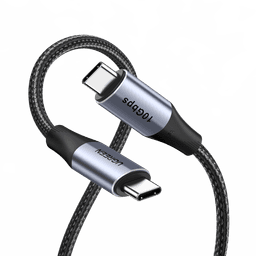
UGREEN 100W USB-C Cable
- 100W · 5A rated
- Aluminium connectors
- 10,000+ bend cycles
6 Red Flags When Buying USB-C Cables
Cheap USB-C cables are one of the most common causes of device damage. Here's what to avoid:
No wattage rating listed
May only support 15W, damaging to devices expecting more
Suspiciously cheap (under £2)
Missing safety resistors, potential fire hazard
"USB-C" with no USB version stated
Likely USB 2.0 — fine for charging, poor for data
No brand name or CE marking
Uncertified, no safety testing, warranty void risk
Claims "240W" at under £5
Almost certainly fake — 240W EPR cables require expensive components
"Universal" cable with no specs
Vague marketing hiding inferior specifications
SMARTGEAR 100W Cable: Buy 1, 2 or 4
This is the cable we reach for most. The E-Marker chip negotiates the full 20V/5A, so one cable runs a MacBook Pro 16", a Galaxy S25 Ultra at Samsung's 45W Super Fast Charging, an iPad Pro and a Steam Deck without swapping leads. At 2m it reaches the sofa from a wall socket, and the braided nylon jacket with aluminium strain relief is rated for 20,000+ bend cycles.
It is the same cable in all three pack sizes — identical spec, identical 2m length. The only thing that changes is how many you get and what each one works out at:
| Pack | Price | Per Cable | Who It Suits | Buy |
|---|---|---|---|---|
| Single | £8.99 | £8.99 per cable | Replacing one worn-out cable | Buy |
| 2-Pack | £10.99 | £5.50 per cable | One for the desk, one for the bag | Buy |
| 4-Pack | £14.99 | £3.75 per cable | Desk, bag, car and bedside | Buy |
💡 Which pack? Buy the 2-pack unless you only need a straight replacement — it costs barely more than a single and stops the "where's my cable" shuffle between desk and bag. The 4-pack is the cheapest per cable if you are kitting out a whole desk or a household.
SMARTGEAR 100W E-Marker Cable - Pick Your Pack
Same cable, three pack sizes · Free UK delivery
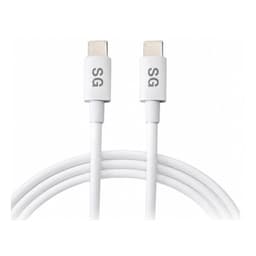
SmartGear 100W Cable — Single
- E-Marker chip · 20V/5A
- 2m braided nylon
- 20,000+ bend cycles
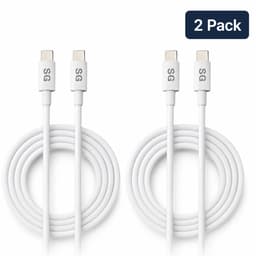
SmartGear 100W Cable — 2-Pack
- Two identical 2m cables
- One for the desk, one for the bag
- Same 100W E-Marker spec
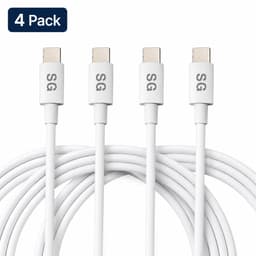
SmartGear 100W Cable — 4-Pack
- Four identical 2m cables
- Desk, bag, car and bedside
- Same 100W E-Marker spec
Charger + Cable Bundles With the 100W Cable
A cable only delivers what the charger behind it can supply, so the 100W E-Marker cable is also sold paired with a matched SMARTGEAR charger. Every kit below is cheaper than buying the two parts separately, and in each one the cable is rated at or above the charger's output — no throttling, no guesswork:
45W Everyday Charging Kit
Save £4.0045W 3-port GaN charger + 1x 100W cable
One device at full speed — the cheapest way in
View Kit — £17.98Dual-Port Charging Kit
Save £3.9965W GaN dual USB-C charger + 2-Pack
A cable per port — laptop and phone together
View Kit — £26.99Twin-Cable Travel Kit
Save £4.9965W travel charger (white, UK + US plugs) + 2-Pack
Trips abroad — one cable stays in the bag
View Kit — £29.99Desktop Charging Kit
Save £5.99100W 4-port desktop station + 2-Pack
Home office — laptop plus phone on the desk
View Kit — £29.99Desktop Pro Kit
Save £4.99100W 4-port desktop station + 4-Pack
A cable for every port — nothing waits to charge
View Kit — £34.99Our Top USB-C Cable Picks for 2026
SmartGear 240W Foldable USB-C Cable
240W PD 3.1 with foldable T-shaped phone stand. Braided nylon rated for 25,000+ bends. Works with everything from iPhones to MacBook Pro. £10.99.
SMARTGEAR 100W USB-C Cable (2m)
The one cable that covers everything short of a 240W laptop. The E-Marker chip negotiates the full 20V/5A, so a MacBook Pro 16" reaches 50% in about 30 minutes and a Galaxy S25 Ultra gets Samsung's full 45W. Braided nylon, aluminium strain relief, 20,000+ bend cycles, CE/UKCA certified. From £8.99 — also sold as a 2-pack (£10.99) and a 4-pack (£14.99).
UGREEN 240W USB-C to USB-C Cable
Future-proof 240W EPR with USB 3.2 Gen 2 data (10 Gbps). Braided nylon, aluminium connectors, E-Marker chip. £14.99.
UGREEN 100W USB-C Charging Cable
100W cable with 5A E-Marker. Perfect for charging phones, tablets and laptops. Aluminium strain relief on both ends. £8.99.
Ready to Buy?
In stock · Ships today
SmartGear 240W Foldable Cable
- 240W PD 3.1
- Foldable T-stand
- Braided nylon 1.5m
UGREEN 240W USB-C Cable
- 240W EPR
- 10 Gbps data
- E-Marker chip
UGREEN 100W USB-C Cable
- 100W · 5A rated
- Aluminium connectors
- 10,000+ bend cycles
Why not just buy from Amazon?
Amazon risk
- · Grey-market imports without UK plugs
- · No UKCA mark — unknown safety testing
- · Mixed inventory — genuine & fake in same bin
- · 3rd-party sellers disappear after complaints
SmartGear guarantee
- · CE/UKCA certified — independently tested
- · UK warehouse — no import surprises
- · Free UK delivery on every order
- · 30-day returns, real UK support team
Frequently Asked Questions
Do I need a special USB-C cable for fast charging?
What is the difference between USB-C 2.0 and USB 3.2 cables?
Can a bad USB-C cable damage my phone or laptop?
How long do USB-C cables last?
Is a 100W USB-C cable overkill for charging a phone?
Is a USB-C cable multipack worth buying?
Is a Thunderbolt 4 cable worth the extra money?
The Bottom Line
Don't waste money on the wrong cable — and don't cheap out on safety. For most UK buyers:
- Phone charging: Any USB-C cable £5+ from a recognised brand
- Laptop charging: 100W (5A) eMark cable, £10-£15
- Data + display + charging: Thunderbolt 4 / USB4, £20-£35
- Future-proofing: 240W USB-C cable, £12-£20
Related Articles
Continue learning with these helpful guides
USB-C Charging Explained: Everything You Need to Know in 2026
Learn about USB-C charging standards, Power Delivery protocols, and how to choose the right USB-C charger for your devices.
Best USB-C Docking Stations & Hubs UK (2026)
CalDigit TS4, Anker 568, UGREEN Revodok Max and budget picks tested. Thunderbolt 4 vs USB-C compared.
Top USB-C Cables UK 2026: Tested & Reviewed
240W E-Marker cables, USB4, Thunderbolt 5, braided nylon vs silicone, gaming right-angles and USB-C monitor connections — the definitive UK cable guide for 2026.