USB-C Charging Explained: Everything You Need to Know in 2026
USB-C has revolutionized how we charge and connect devices. But with multiple standards, confusing cable ratings, and varying power outputs, it's easy to feel overwhelmed.
This guide breaks down USB-C charging technology, explains Power Delivery (PD) standards, and helps you understand what cables, chargers, and power ratings you actually need.
Key Takeaways
- USB-C is just the connector shape - power and data capabilities vary widely
- Power Delivery (PD) protocol enables 5W to 240W charging through intelligent negotiation
- Not all USB-C cables support high-power charging - check for E-mark certification
- Modern PD chargers are safe for all devices - they negotiate appropriate power levels
Everything You Need to Charge at Full Speed
Matched SmartGear charger + cable · Free UK delivery
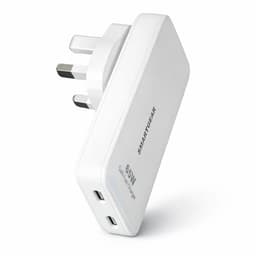
SmartGear 65W Travel Charger
- Slide-out UK + US plugs
- 2× USB-C · PD 3.0
- Ultra-slim 15.5mm
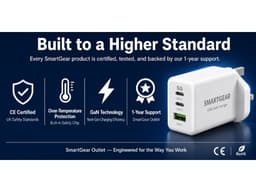
SmartGear 45W GaN Charger
- 3 ports · 2× USB-C + USB-A
- Samsung 45W PPS
- Compact GaN body
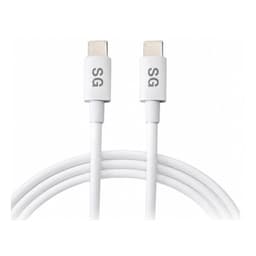
SmartGear 100W USB-C Cable
- E-Marker chip · 5A
- 2m braided length
- Unlocks full 45–100W
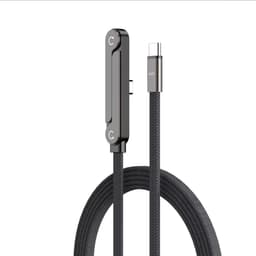
SmartGear 240W Foldable Cable
- 240W PD 3.1 · 48V 5A
- Foldable T-stand
- Braided nylon
What is USB-C? (It's More Than a Connector)
USB-C (officially USB Type-C) is a connector standard introduced in 2014. The key advantage? It's reversible - no more fumbling to plug it in the right way.
Critical Distinction
USB-C is ONLY the physical connector shape. The actual capabilities - charging speed, data transfer, video output - depend on the protocols and standards the device and cable support.
Reversible Design
Can be inserted either way - no more trial and error
24-Pin Configuration
Supports power, data, video, and audio simultaneously
Universal Standard
Works across laptops, phones, tablets, and accessories
USB Power Delivery (PD): The Brain Behind Fast Charging
USB Power Delivery is the intelligent protocol that enables fast, safe charging over USB-C. Instead of forcing a fixed voltage, PD allows devices to negotiate the optimal power level.
How PD Negotiation Works
PD Version Evolution
USB PD 2.0
Released: 2014
Max Power: 100W (20V @ 5A)
- Fixed voltage profiles
- 5V, 9V, 12V, 15V, 20V
- Basic power negotiation
USB PD 3.0
Released: 2017
Max Power: 100W (20V @ 5A)
- Programmable Power Supply (PPS)
- Better device communication
- Fast Role Swap
USB PD 3.1
Released: 2021
Max Power: 240W (48V @ 5A)
- Extended Power Range (EPR)
- Support for high-power laptops
- 28V, 36V, 48V profiles
USB-C Cable Types: Not All Cables Are Created Equal
This is where confusion happens. A USB-C connector doesn't guarantee fast charging or high-speed data. The cable's internal wiring determines its actual capabilities.
USB 2.0 Cable
USB 3.1 Gen 1 Cable
RecommendedUSB 3.2 Gen 2 Cable
RecommendedUSB4 / Thunderbolt Cable
RecommendedLook for E-Mark Certification
Cables rated for more than 60W (3A) must include an E-Mark chip (electronic marker). This chip communicates the cable's power handling capability to the charger and device. Without it, charging will be limited to 15W (5V @ 3A) for safety.
Power Requirements by Device Type
Understanding how much power your devices need helps you choose the right charger and avoid overpaying for unnecessary wattage.
Smartphone
Recommended Power
20-30W
Typical Voltage
9V @ 3A
Charging Time
30-45 min (0-80%)
Note: Most phones support USB PD 3.0 PPS for optimal charging
Tablet (iPad, Android)
Recommended Power
30-45W
Typical Voltage
15V @ 3A
Charging Time
1-1.5 hours (0-80%)
Note: Larger batteries benefit from higher wattage
Laptop (13-14")
Recommended Power
45-65W
Typical Voltage
20V @ 3.25A
Charging Time
1.5-2 hours (full)
Note: Can often work while charging at this power level
Gaming Laptop (15-17")
Recommended Power
100-140W
Typical Voltage
20V @ 5A+
Charging Time
2-3 hours (full)
Note: Requires USB PD 3.1 for 100W+ charging
USB-C Compatibility Checklist
Ensuring proper compatibility between charger, cable, and device maximizes charging speed and safety.
Cable Quality
✓ Good
E-marked cable with power rating label
✗ Bad
No markings or certifications
Why it matters: Prevents cable overheating and power loss
Charger Certification
✓ Good
USB-IF certified, PD logo present
✗ Bad
Generic, no certification marks
Why it matters: Ensures proper power negotiation protocol
Power Profile Match
✓ Good
Charger supports device's required voltage
✗ Bad
Voltage mismatch or insufficient wattage
Why it matters: Optimal charging speed and device safety
Cable Length
✓ Good
Under 2 meters for high-power charging
✗ Bad
Long cables (3m+) for fast charging
Why it matters: Longer cables increase resistance and power loss
4 Common USB-C Myths Debunked
Myth: "All USB-C cables are the same"
Reality:
USB-C cables vary widely in power delivery (15W to 240W) and data speeds (480 Mbps to 40 Gbps)
Impact: Using wrong cable can limit charging speed to 15W even with 100W charger
Myth: "Higher wattage chargers damage devices"
Reality:
USB PD negotiates safe power levels. Devices only draw what they need
Impact: A 100W charger is safe for a 20W phone - it won't force extra power
Myth: "USB-C and Thunderbolt are the same thing"
Reality:
Thunderbolt uses USB-C connector but adds extra protocols for higher performance
Impact: Not all USB-C ports support Thunderbolt features
Myth: "Fast charging always degrades battery faster"
Reality:
Modern USB PD with PPS actually protects batteries through intelligent charging curves
Impact: Properly implemented fast charging is safer than cheap slow chargers
What to Look for When Shopping
Quick Shopping Checklist
The Bottom Line
USB-C charging is powerful but nuanced. The connector itself is universal, but the protocols, cables, and power delivery capabilities vary widely.
Understanding USB Power Delivery, recognizing proper cable certifications, and matching charger wattage to your device needs ensures fast, safe, and efficient charging.
The good news? Once you know what to look for - USB-IF certification, PD support, E-mark cables, and clear power ratings - choosing the right products becomes straightforward.
Related Reading
Related Articles
Continue learning with these helpful guides
iPhone 18 Charger UK: What You Actually Need
Any USB-C PD charger rated 30W or above maxes out an iPhone 18. Real charging speeds, cable requirements, and what is settled versus still unconfirmed.
Fast Charging vs Super Fast Charging: What's the Difference? (2026 Guide)
Understand the differences between fast charging standards, power delivery levels, and choose the right charger for your device's maximum charging speed.
Qi2 Wireless Charging Explained: The Complete UK Guide (2026)
What is Qi2? How does it compare to MagSafe and Qi1? Compatible devices, speeds, battery health impact, and the best Qi2 chargers available in the UK.