How to Charge Your MacBook Faster: 9 Proven Tips
Your MacBook can charge up to 50% faster than you think. Most people use the wrong charger, wrong cable, or wrong settings. Here's how to fix that.
Faster MacBook charging, sorted
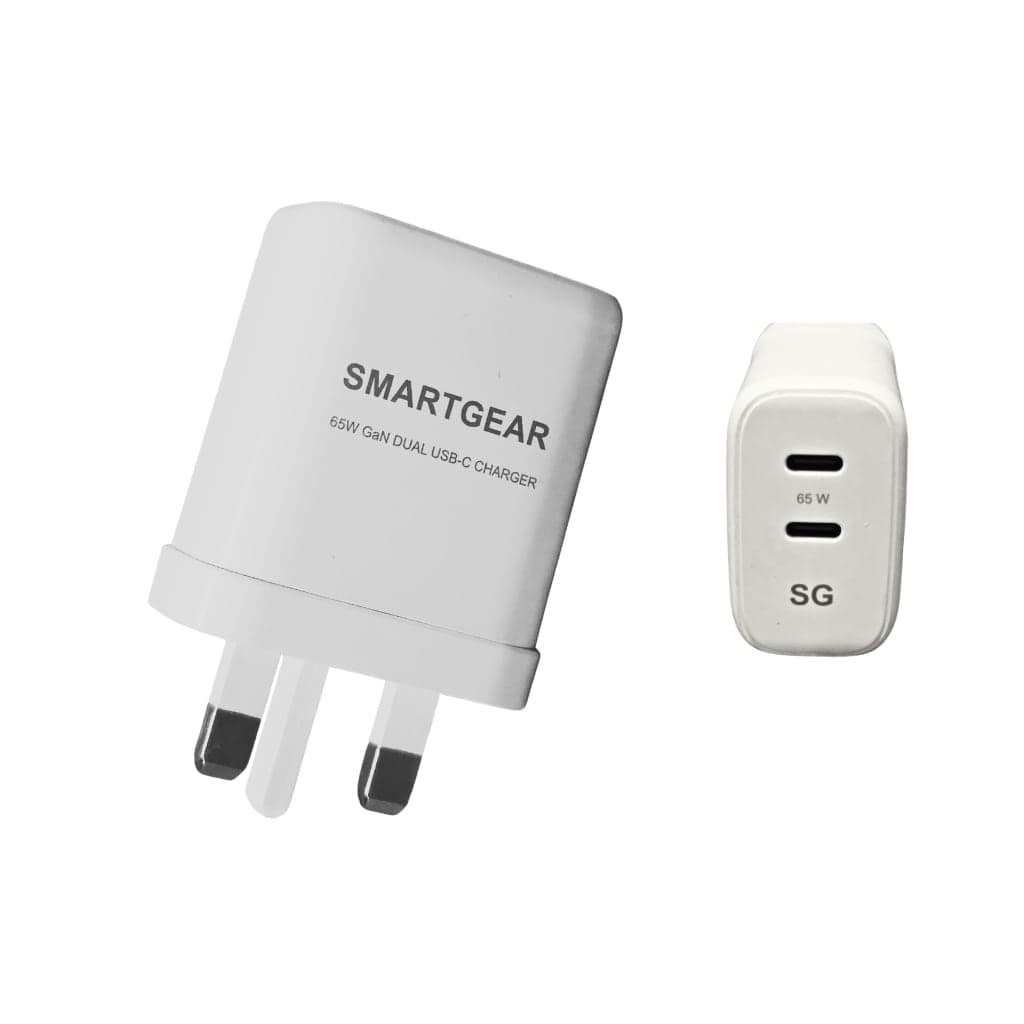
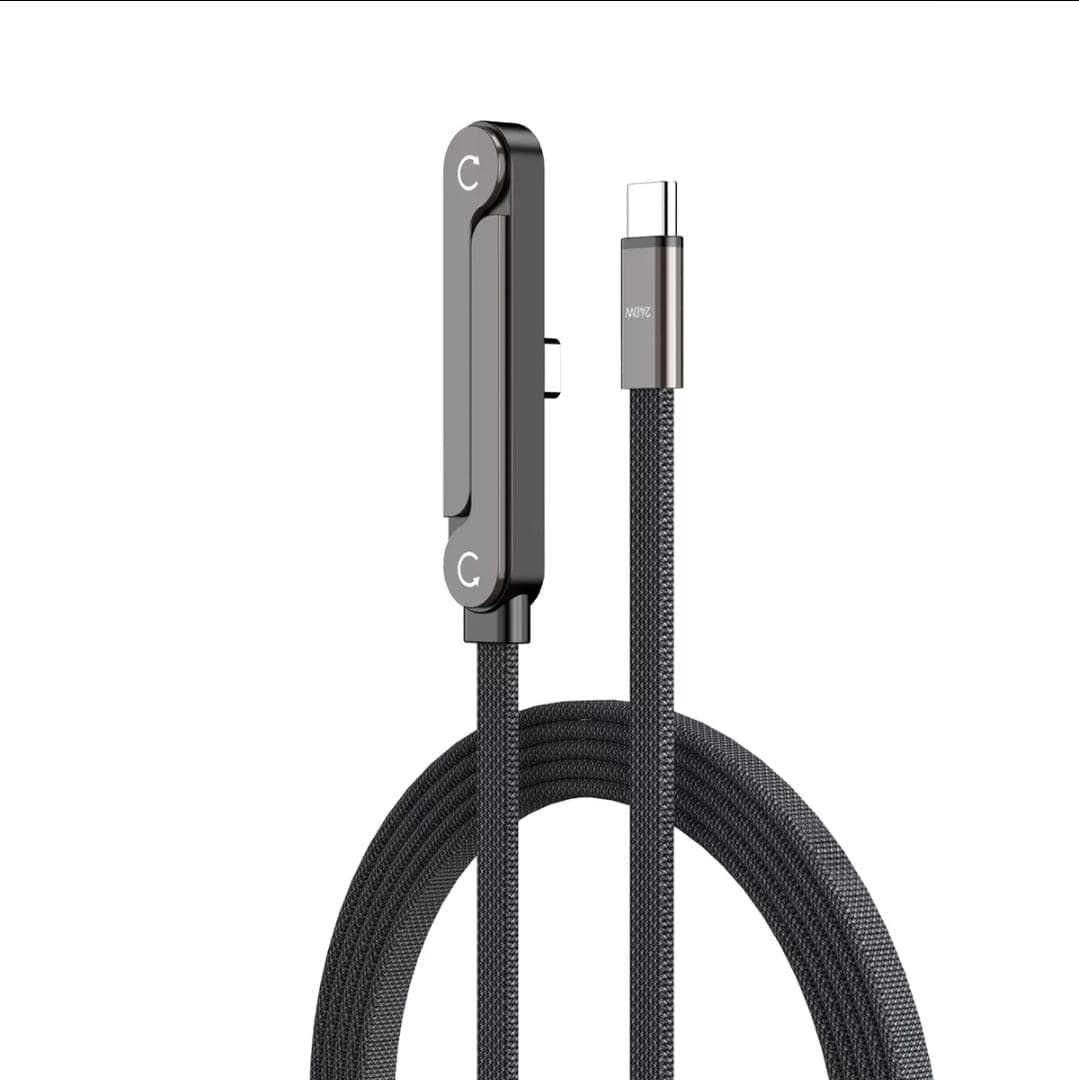
All productsThe charger and the cable are the two biggest speed-ups: a USB-C PD GaN charger and a 100W+ cable. SmartGear’s start at £10.99.
In This Guide
Apple ships every MacBook with a charger that works — but it's rarely the fastest option. The MacBook Air, for example, comes with a 30W charger, yet supports 67W fast charging. That's over 2x the speed, sitting untapped.
Whether you're a remote worker racing to a Zoom call, a student heading to a lecture, or a creative professional on deadline, these 9 tested tips will dramatically reduce your charging time.
MacBook Charger Wattage: What You Need to Know
Every MacBook model has a minimum, included, and maximum supported wattage. Using the maximum enables fast charging:
| Model | Included | Fast Charge | Port | 0-50% Time |
|---|---|---|---|---|
| MacBook Air 13" (M3/M4) | 30W | 67W | MagSafe or USB-C | 0-50% in ~28 min |
| MacBook Air 15" (M3/M4) | 35W | 70W | MagSafe or USB-C | 0-50% in ~30 min |
| MacBook Pro 14" (M4 Pro) | 70W | 96W | MagSafe or USB-C | 0-50% in ~30 min |
| MacBook Pro 16" (M4 Max) | 140W | 140W | MagSafe (140W) or USB-C (100W) | 0-50% in ~30 min |
💡 Key Insight: The MacBook Air ships with a 30W charger but supports 67W fast charging. Upgrading your charger alone can cut charge time from ~2 hours to ~1.2 hours. Your MacBook will only draw what it needs — you cannot "overcharge" it.
9 Proven Tips to Charge Your MacBook Faster
Use a higher-wattage charger than included
High ImpactMacBook Air comes with a 30W charger, but supports up to 67W fast charging. Upgrading to a 67W+ charger can cut charge time by 40%. Your MacBook only draws what it needs — a higher-wattage charger won't damage it.
Enable optimised battery charging (but know when to override)
Medium ImpactmacOS learns your routine and pauses at 80% to reduce battery wear. If you need a full charge quickly, click the battery icon → "Charge to Full Now". This overrides the delay while keeping long-term protection.
Use MagSafe for MacBook Pro 16" (140W)
High (16" only) ImpactThe MacBook Pro 16" can only reach 140W via MagSafe. USB-C tops out at 100W due to the USB PD 3.0 spec. That's a 40% wattage difference. For the 14" and Air, USB-C and MagSafe perform identically.
Check your USB-C cable rating
High ImpactA cheap USB 2.0 cable may only carry 60W — not enough for a MacBook Pro. Ensure your cable is rated for at least 100W (5A) and has an eMark chip. For 140W MagSafe, you must use Apple's included cable.
Close resource-heavy apps while charging
Medium ImpactRunning Final Cut Pro, Chrome with 50 tabs, or games while charging means your MacBook diverts power to the CPU/GPU instead of the battery. Quitting heavy apps during charging can improve charge speed by 15-25%.
Keep your MacBook cool
Medium ImpactLithium-ion batteries charge fastest between 10-35°C. Above 35°C, macOS throttles charging to protect the battery. Avoid charging in direct sunlight, on soft surfaces (beds, pillows), or with the lid closed in a tight bag.
Put your MacBook to sleep while charging
Medium ImpactClosing the lid and letting your MacBook sleep reduces power consumption to near zero, meaning virtually all charger power goes to the battery. Sleep charging is 20-30% faster than active-use charging.
Avoid charging from 0% regularly
Low ImpactCharging from 0% to 20% is the slowest phase (trickle charge mode for safety). Keeping your battery between 20-80% means you're always charging in the fastest zone. It's also better for long-term battery health.
Use a GaN charger for portability + power
Quality of Life ImpactGaN (Gallium Nitride) chargers deliver 65-140W in a package half the size of Apple's brick. They're perfect for travel — one charger for your MacBook, iPhone, and iPad. UGREEN and Baseus make excellent GaN chargers.
5 Common Mistakes Slowing Your MacBook Charging
Using the iPhone charger (20W) for a MacBook
Charges incredibly slowly — a MacBook Air takes 4+ hours at 20W vs 1.5 hours at 67W.
Buying an 18W "fast charger" and expecting MacBook speeds
18W is fast for phones, but pitifully slow for laptops. MacBooks need 30W minimum, 67W+ for fast charging.
Using a USB-A to USB-C cable
USB-A ports top out at ~15W. Always use USB-C to USB-C for MacBook charging.
Charging in a hot car or direct sunlight
Ambient temperatures above 35°C trigger thermal throttling, slowing charge speed by up to 50%.
Ignoring "Optimised Battery Charging" paused at 80%
Your MacBook isn't broken — it's protecting the battery. Click the battery icon to override when needed.
Recommended MacBook Chargers
UGREEN 65W GaN USB-C Charger
Compact GaN charger that delivers 65W — more than double the included 30W adapter. Charges a MacBook Air from 0-50% in under 30 minutes. Pocket-sized and perfect for travel.
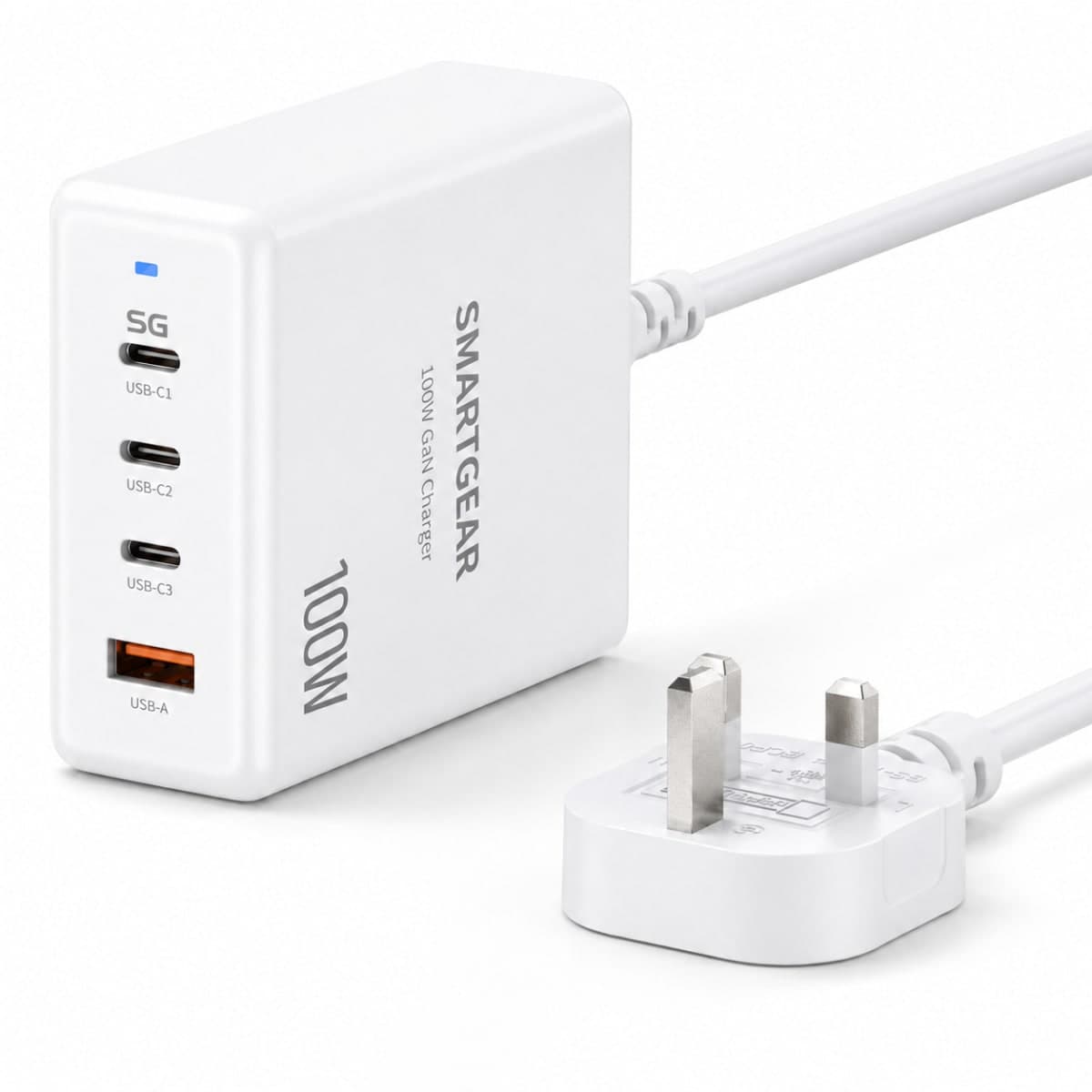
100W GaN Desktop Charging Station
Charges MacBook Pro 14" at full 96W speed, plus has extra ports for your iPhone and iPad simultaneously. Replaces 3 separate chargers with one compact unit.
Frequently Asked Questions
Can I use a higher wattage charger with my MacBook?
How long does it take to charge a MacBook from 0 to 100%?
Is MagSafe faster than USB-C for MacBook charging?
Why does my MacBook stop charging at 80%?
Ready to Charge Faster?
The single biggest upgrade is your charger. A 65W GaN charger costs under £30 and cuts MacBook Air charging time nearly in half. Pair it with a quality 100W USB-C cable and you'll never be tethered to a wall socket for long.
Related Articles
Continue learning with these helpful guides
Best USB-C Cables UK (2026): Tested & Rated for Speed, Safety & Durability
Expert-tested guide to the best USB-C cables in the UK. We compare 240W, 100W and 60W cables for charging speed, data transfer, durability and value.
Best Desktop Charging Stations UK (2026): GaN Multi-Device Chargers Compared
Expert guide to the best GaN desktop charging stations in the UK. Multi-port chargers compared for power output, port count, size, and value.
Best USB-C Docking Stations & Hubs UK (2026)
CalDigit TS4, Anker 568, UGREEN Revodok Max and budget picks tested. Thunderbolt 4 vs USB-C compared.